

If you don’t see the Variable Subdomain section, email us, and we’ll enable it for your account.
Requirements
There are three parts to setting up your PACT API:- Getting your PACT API URL
- Sharing your Product Carbon Footprint (PCF) declarations with the API
- Adding a PACT data source for each partner who requests PCFs from you
Your PACT API URL
Your PACT API URL is based on your Variable subdomain. For example, if your subdomain isfurniture-co,
your PACT API URLs are:
- https://furniture-co.variable.global/api/pact/3/footprints (PACT v3)
- https://furniture-co.variable.global/api/pact/2/footprints (PACT v2)
/api/pact without your subdomain serves no
footprints, and a companyId filter narrows your own footprints rather than reaching another company’s. A request to
the placeholder subdomain your_subdomain returns a 404 telling you to use your own subdomain instead.
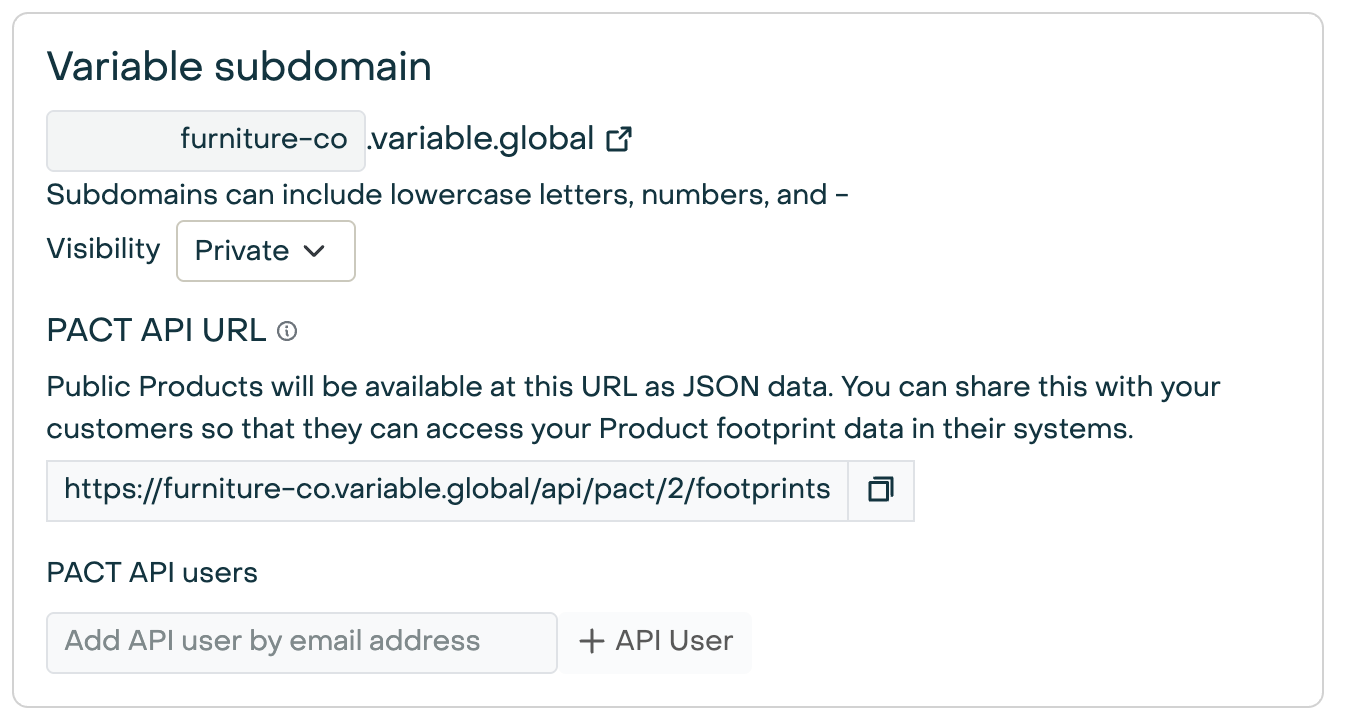
API Users
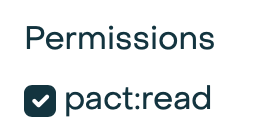
By default, users must authenticate to access your PACT API. You can add API users in the same section in your company settings. Be sure to give them thepact:read permission.
Visibility
You can also make your PACT API public to the internet by setting “Visibility” to “Public”.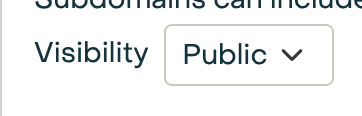
Sharing footprints
The API serves PCF declarations, not products. A PCF is a declaration on a product, beside its EPD: create one from the product’s Declarations tab with New declaration → PCF. A product holds one PCF.If a product without a PCF has no New declaration menu on its Declarations tab, email us, and we’ll enable PCFs for your account.
id is its PCF’s id.
Setting a draft PCF’s sharing to “API” publishes it: Variable checks that it states every value PACT requires, then locks
it and shares it in one step, so a shared footprint never changes. A draft with missing values stays a private draft: on
the PCF page the “API” option stays disabled until they’re filled in, and a request that sets it anyway is refused, with an
error that names what’s missing. The PCF page asks you to confirm before it publishes.
A locked PCF’s sharing can still change between “Private” and “API”. Setting it to “Private” removes the footprint from
the API, and a partner who fetched it before gets a not-found error when reading it again.
Derived and declared values
Most of a PCF comes from the product’s model, and the PCF page marks each value Derived or Declared:- Derived from the model’s cradle-to-gate (A1–A3) results: the PCF including and excluding biogenic uptake, fossil and land-use change emissions, biogenic carbon content and uptake, fossil carbon content, packaging emissions, the primary data share, data quality, and the secondary emission factor sources (the databases the model’s datasets come from). The product supplies its name, description, weight, declared unit, geography, CPC code and reference period.
- Declared by you, because a model can’t state them: IPCC characterization factors, cross-sectoral standards, exempted emissions, and optionally product or sector specific rules, the biogenic accounting methodology, the boundary and allocation descriptions, a validity period and a comment. Fossil carbon content is declared only when the model’s materials don’t state one; a derived value wins.
@variable/images and @variable/attachments extensions. A file uploaded for
data extraction, or one without a document type, is never shared.
What blocks publishing
The “API” sharing option stays disabled while the PCF has a gap:- No GWP total — the model has no cradle-to-gate global warming result.
- Biogenic emissions without biogenic carbon — the model states biogenic GWP but no biogenic carbon content (BCCP), so the uptake can’t be quantified and the PCF excluding biogenic uptake can’t be stated. Add biogenic carbon content to the materials that carry biogenic emissions.
- Fossil carbon unknown — no material in the model states a fossil carbon percent, and none is declared.
- A missing value, product fact or declared field, or a declared field that isn’t in the PACT format.
New versions
A PCF versions through its product. Click Edit on the product to start a new version: the new product version carries a copy of the PCF as a private draft, with its declared fields. Share it on the API, and the previous PCF readsDeprecated on the API. A deprecated PCF stays retrievable by its id, and the new footprint lists it in
precedingPfIds.
PACT requirements
Details on the PACT standard and required fields can be found in the PACT documentation.Answering PCF requests
A partner can ask you for footprints by sending a PCF request event to your events endpoint. Variable answers it by calling the partner’s own PACT API, so it needs that partner’s address and credentials:- Open the partner on your Suppliers page and add a PACT data source under Data Sources.
- Set its URL to the base URL of the partner’s PACT API — the
sourcetheir request events carry, such ashttps://api.partner.com/pact. Variable answers at that URL’s/3/events. - Enter the client id and secret the partner issued you.
source matches none of your PACT data sources goes unanswered.